
While working on a some development, there became an issue with the ISP and they hijacked all HTTP requests to return a notice explaining that an issue needed to be resolved. I determined that HTTPS still worked as it uses SSL and therefore would be difficult (and possibly illegal) for them to hijack those requests.
Solution:
SSH is an encrypted connection and therefore was still available to use. Using PuTTY, I set up a connection as a tunnel. Once this was done, I could configure my browsers to use the local socks5 connection to one of our development boxes (make sure you trust your proxy end point as all non-secured traffic will be visible).
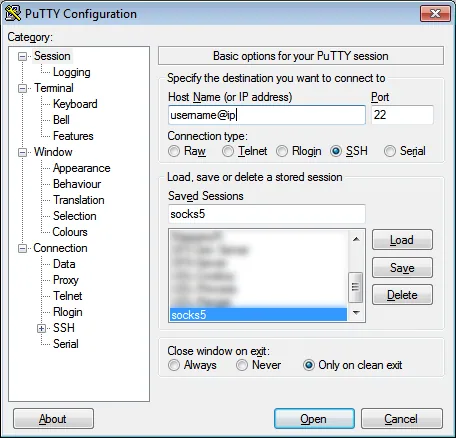 |
| Setup a New connection |
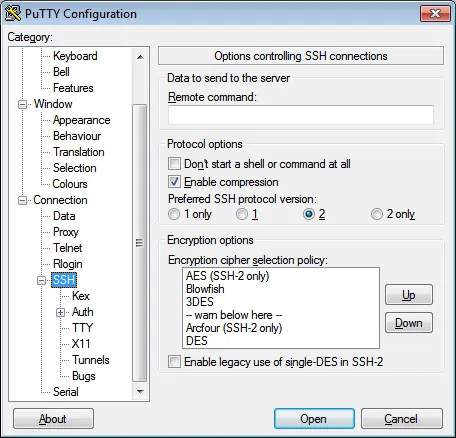 |
| Enabled compression |
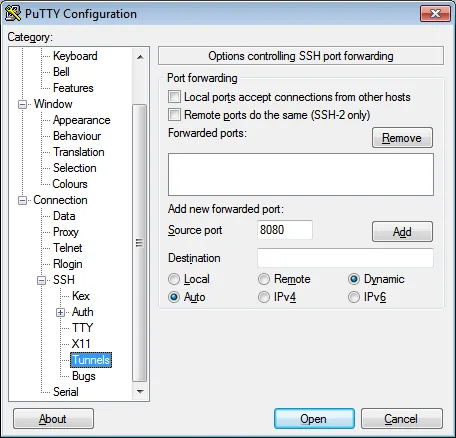 |
| Add a local port (dynamic) that will be used for forwarding |
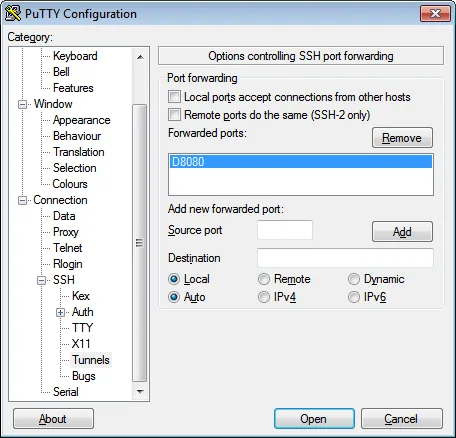 |
| Once the port has been added |
Note: These are the minimal settings and can be configured further depending on your needs.
This worked (with obvious increased latency due to another node between end points) and allowed me to get access to all HTTP web sites. However, I wanted to take this further for applications like Spotify without configuring each one independently. After some looking around as programs like Widecap, I determined that it would probably be something natively supported by Windows. Here is how I went about setting that.
 |
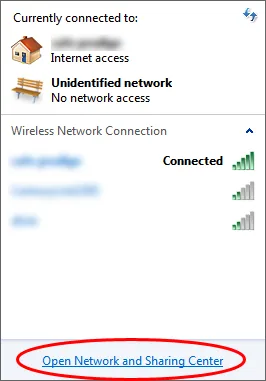
| Click the Internet Icon in the lower right |
 |
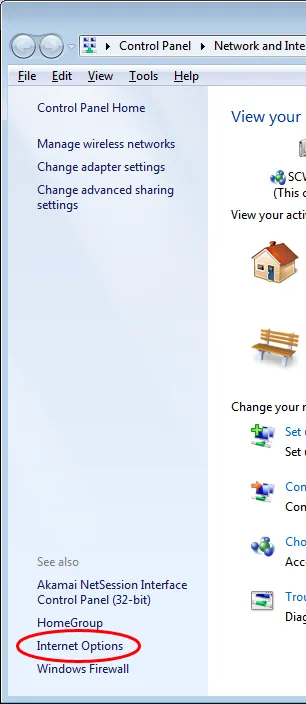
| Click the Network Sharing Center Link |
 |
| Click on Internet Options Link |
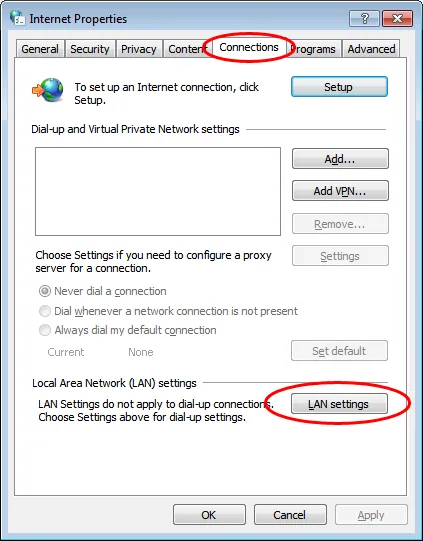 |
| Click the Connections tab and then click the LAN settings button |
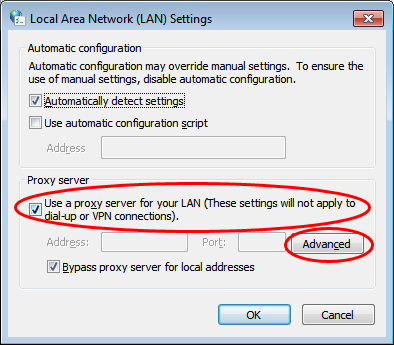 |
| Check "Use a proxy server..." and then click the "Advanced" button |
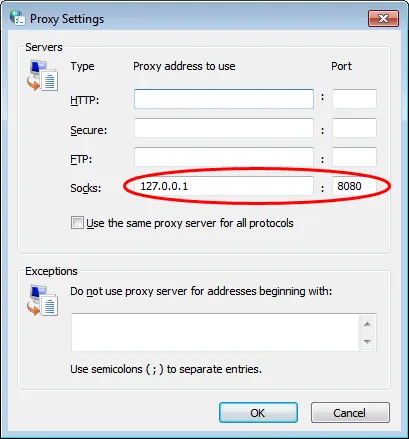 |
| If you are doing 1 socks5 proxy like I am, clear all other addresses and add the local address and forwarded port from earlier. |
I strongly discourage trying to use this to circumvent employers from knowing of your activities, or for using this to try and remain anonymous online.